> ## Documentation Index
> Fetch the complete documentation index at: https://docs.secai.ai/llms.txt
> Use this file to discover all available pages before exploring further.
# Account & Limits
## Account Registration & Login
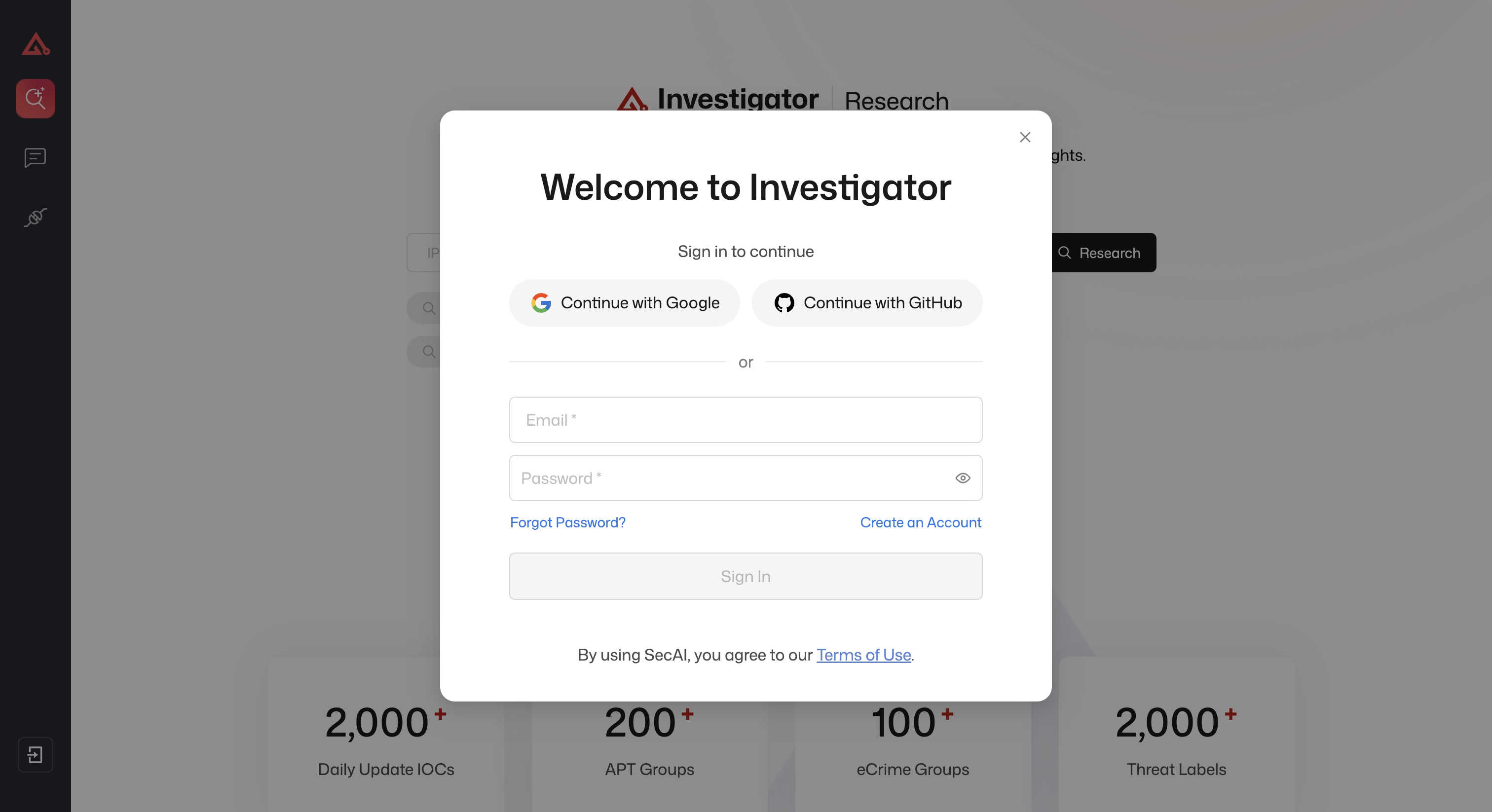
SecAI provides multiple ways for users to register and sign in.Users can choose between **third-party login** or **manual registration**:
 ## Third-Party Login
* Click **“Continue with Google”** or **“Continue with GitHub”**.
* Authenticate with your third-party account.
* You will be redirected to SecAI and automatically signed in.
## Manual Registration/Login
* Click **“Create an Account”**.
* Enter your **email, password**, and confirm the password.
* Click **"Sign Up"**, then check your email for a **verification link**.
* Click the link to verify your email.
* You will be **automatically logged into SecAI**.
## Login for Existing Users
* If you already have an account, enter your **email and password** on the login page.
* If you forgot your password, click **"Forgot Password?"** to reset it.
## Usage Limits & Query Restrictions
SecAI enforces different limits based on whether a user is logged in and their account plan. Query limits apply to both Research & Chat modules.
## Third-Party Login
* Click **“Continue with Google”** or **“Continue with GitHub”**.
* Authenticate with your third-party account.
* You will be redirected to SecAI and automatically signed in.
## Manual Registration/Login
* Click **“Create an Account”**.
* Enter your **email, password**, and confirm the password.
* Click **"Sign Up"**, then check your email for a **verification link**.
* Click the link to verify your email.
* You will be **automatically logged into SecAI**.
## Login for Existing Users
* If you already have an account, enter your **email and password** on the login page.
* If you forgot your password, click **"Forgot Password?"** to reset it.
## Usage Limits & Query Restrictions
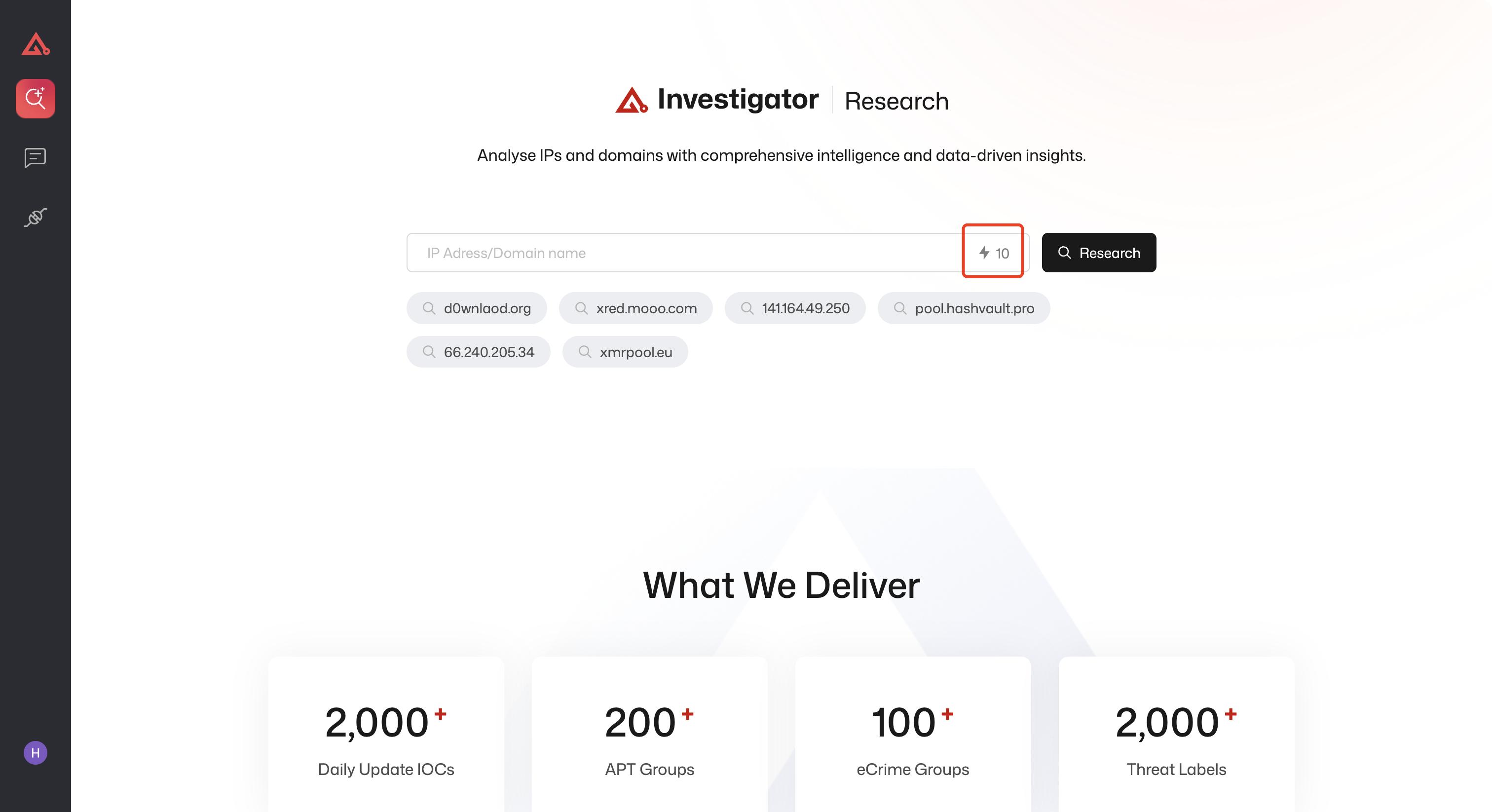
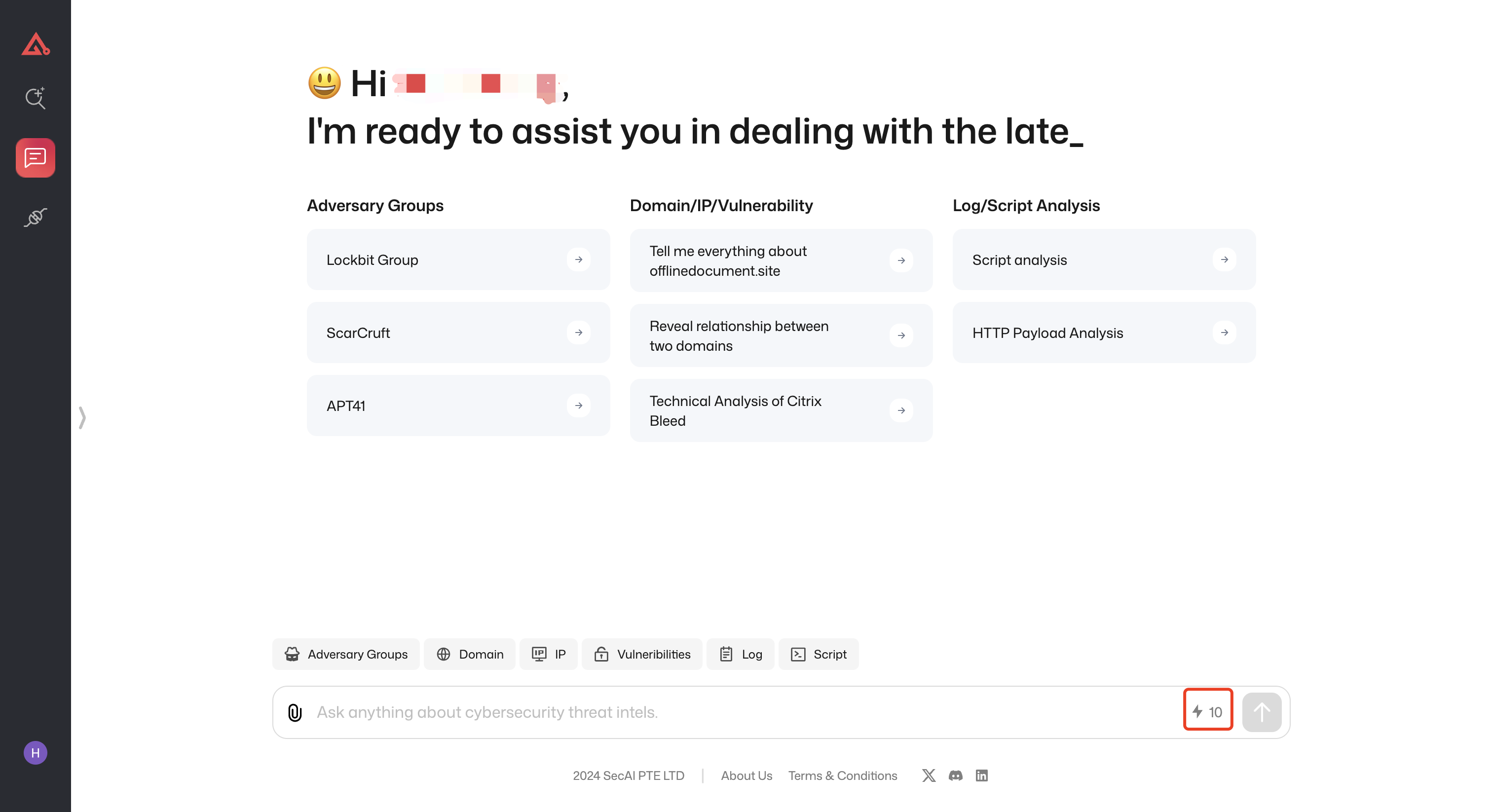
SecAI enforces different limits based on whether a user is logged in and their account plan. Query limits apply to both Research & Chat modules.
 | User Type | Query Limit | Reset Time |
| ---------------- | ----------------------- | ---------------------------- |
| Guest (No Login) | 5 queries per day | Daily at 00:00 UTC |
| Basic Account | 10 queries per 4 hours | Every 4 hours from 00:00 UTC |
| Pro Account | 100 queries per 4 hours | Every 4 hours from 00:00 UTC |
## Upgrading to a Pro Account
Users who need higher query limits can redeem an invite code to upgrade to a Pro account.
| User Type | Query Limit | Reset Time |
| ---------------- | ----------------------- | ---------------------------- |
| Guest (No Login) | 5 queries per day | Daily at 00:00 UTC |
| Basic Account | 10 queries per 4 hours | Every 4 hours from 00:00 UTC |
| Pro Account | 100 queries per 4 hours | Every 4 hours from 00:00 UTC |
## Upgrading to a Pro Account
Users who need higher query limits can redeem an invite code to upgrade to a Pro account.
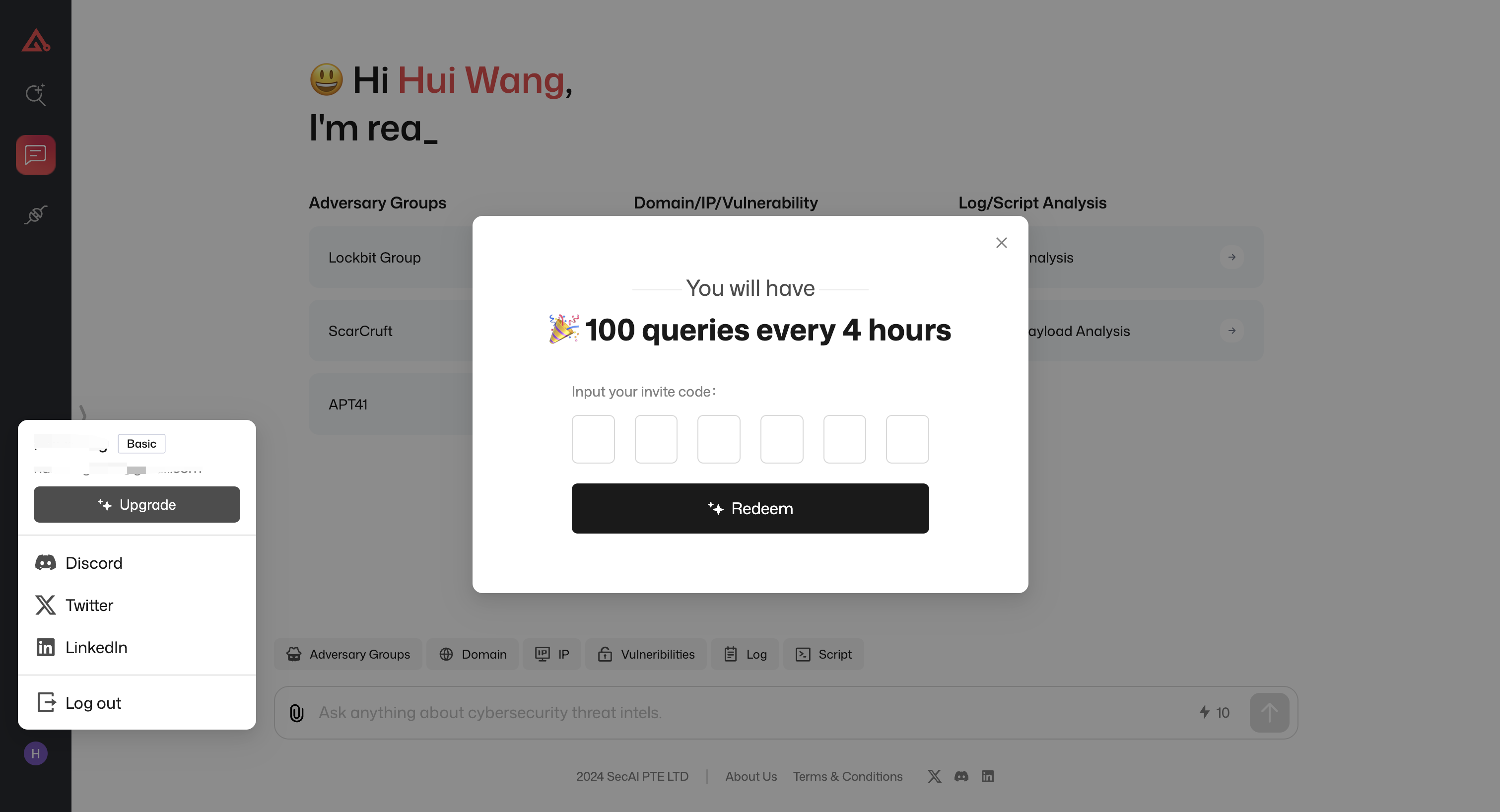 1. Click on the **profile avatar** in the bottom-left corner of the page.
2. Click **“Upgrade”** in the menu.Enter your **invite code**.
3. Click **“Redeem”** to activate **Pro-tier benefits**.
## Pro Benefits
**✅100 queries every 4 hours**
For additional details, please contact us.
1. Click on the **profile avatar** in the bottom-left corner of the page.
2. Click **“Upgrade”** in the menu.Enter your **invite code**.
3. Click **“Redeem”** to activate **Pro-tier benefits**.
## Pro Benefits
**✅100 queries every 4 hours**
For additional details, please contact us.